Choose where to move
A Prism export is a plain ZIP of LaTeX files, so nothing ties you to one editor. These are the three places we would look at first, and what each one is good at.
| Destination | Best for | Workflow and limits |
|---|---|---|
| Codex (local) | Staying on OpenAI’s official path, compiling on your own machine, or projects that need custom build scripts or .latexmkrc. | Runs on your extracted folder through the Codex app or CLI with a local TeX toolchain. No hosted browser editor, live co-editing, or automatic cloud backup, so keep your own Git repository or backup. OpenAI’s Prism to Codex guide |
| Overleaf | Simultaneous co-editing in the browser, tracked changes, or Git, GitHub, and Dropbox sync. | Browser editor and compiler with real-time co-editing. Free includes 10-second builds, 1 editor or reviewer, and 5 AI uses a day. Standard ($25/month or $199/year USD) raises those to 240-second builds, 10 editors or reviewers, and 10 AI uses a day including the AI Assistant, and adds tracked changes and sync. Compare Overleaf and CollabTeX |
| CollabTeX | Compiling in the browser and AI edits you review before they touch your source, if co-authors can take turns. | Full TeX Live 2026 in the browser (pdfLaTeX, XeLaTeX, LuaLaTeX). AI edits show up inline for you to accept or reject, and AI requests are routed with zero data retention. Free builds get 30 seconds; drew.tech subscribers get 120 seconds for free, with daily CPU limits. One writer edits at a time; shell escape, minted, and .latexmkrc are off. See our tested Prism export and before-and-after PDF comparison. |
Whichever you pick, export first and keep an untouched backup. Step 1 covers that. Steps 2 through 5 test a copy in CollabTeX.
1. Export and back up your work
OpenAI documents two export routes: Settings → Data Controls → Export all projects (zip) → Download zip, or Export (zip) in an individual project’s title menu. Download a recent PDF for comparison, too.
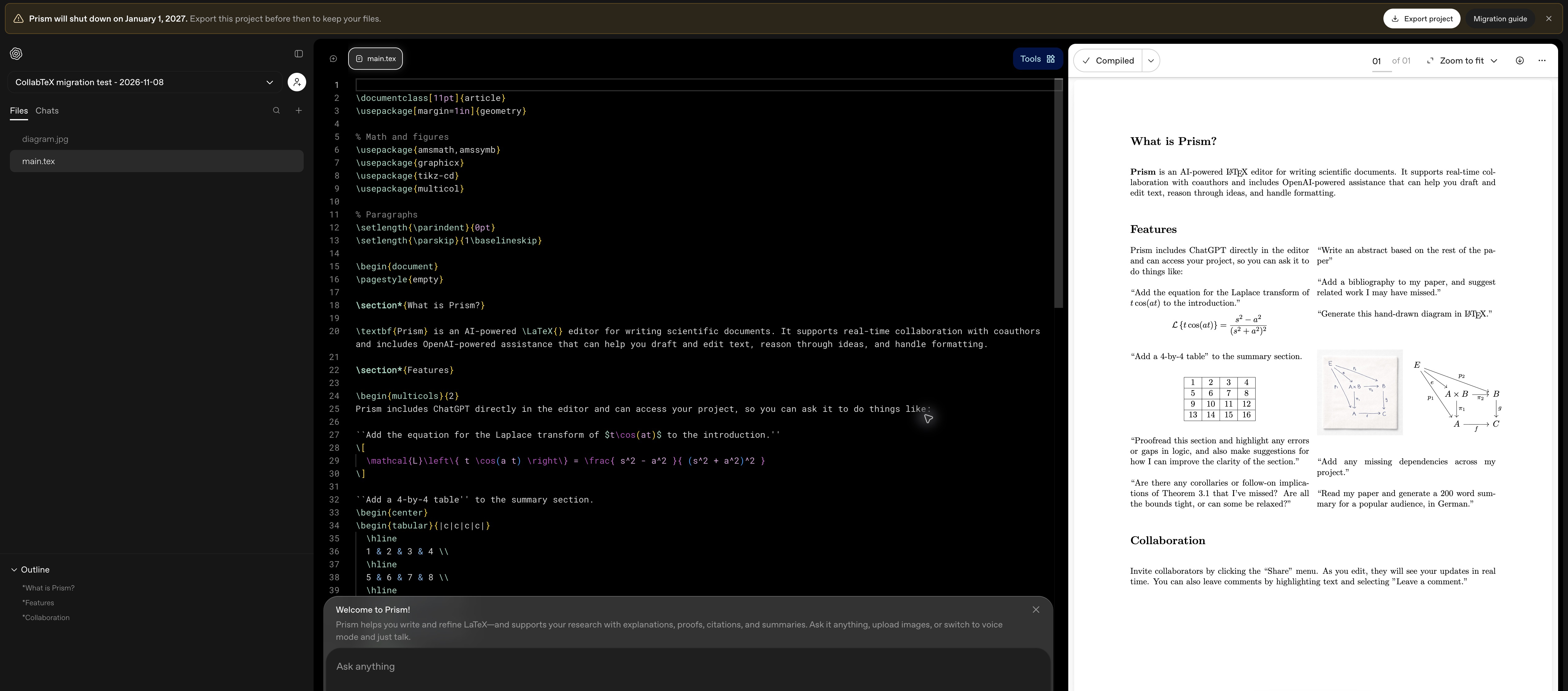
Keep the original archive untouched. Check export-errors.json if present; retry an incomplete export before the shutdown. Save important comments and history separately. Project files do not recreate sharing permissions or a live Zotero connection. Some bulk exports include conversation JSON for reference.
Follow the current OpenAI export guidance if the controls change. It says Prism data will be deleted after shutdown, so do not leave your only copy there.
2. Check the fit before you move
CollabTeX is a hosted LaTeX workspace with PDF preview and source edits you review before accepting. Try a copy of one document before moving a deadline-critical paper.
A good starting point
- A source project with its figures and bibliography.
- pdfLaTeX, XeLaTeX, or LuaLaTeX.
- Standard packages or included
.sty,.cls, and.bstfiles. - Writers who can take turns editing.
Check these first
- Editors share one writing lease. This is not simultaneous multiplayer editing.
- Shell escape,
minted, runtime downloads, custom build scripts, and.latexmkrcexecution are disabled. - Fonts, package versions, and build time can change the result.
- Comments, history, chat archives, and account connections are not imported as application features.
Read the compiler and import limits and AI data handling before uploading unpublished or institution-controlled work. Current plans and quotas are listed in Help.
3. Prepare one project ZIP
CollabTeX imports a ZIP for one project, not a whole Prism workspace. Work on an extracted copy. Identify the root .tex document and keep the relative folders used by its inputs, figures, and references.
- Keep the files required to build that document. Text formats include
.tex,.bib,.sty,.cls, and.bst. The importer accepts PNG, JPG/JPEG, PDF, EPS, OTF, and TTF assets. EPS may still need conversion for compilation because shell escape is disabled. - Leave chat JSON, export reports, generated logs and auxiliary files, hidden system files, and unrelated projects in your backup rather than the import ZIP. Unsupported file types are skipped rather than converted, and invalid file names or symlinks reject the import.
- Do not delete a required file merely to make an import pass. SVG figures or script-dependent builds need a deliberate conversion or a different workflow.
- ZIP the project contents while preserving their relative paths. Some operating-system archive tools add hidden files, so inspect the result before uploading.
The current ceilings are 50 MiB compressed, 100 MiB expanded, 500 files, 2 MiB per text file and 10 MiB of text in total. Each asset can be up to 25 MiB. Oversized or unsupported projects need preparation before import.
4. Import a copy into CollabTeX
- Open CollabTeX and sign in with Google or email.
- In your project library, choose Import ZIP and select the prepared archive.
- Choose the main document in the import dialog, then select Import project. Check the resulting file tree, including nested figures and bibliography files.
- Imports start with pdfLaTeX. If your document needs XeLaTeX or LuaLaTeX, change the engine in compiler settings before judging the output.
- Compile and read the first actionable error if it fails. Correct the root file, engine, missing asset, or package requirement rather than rewriting the paper to conceal a build problem.
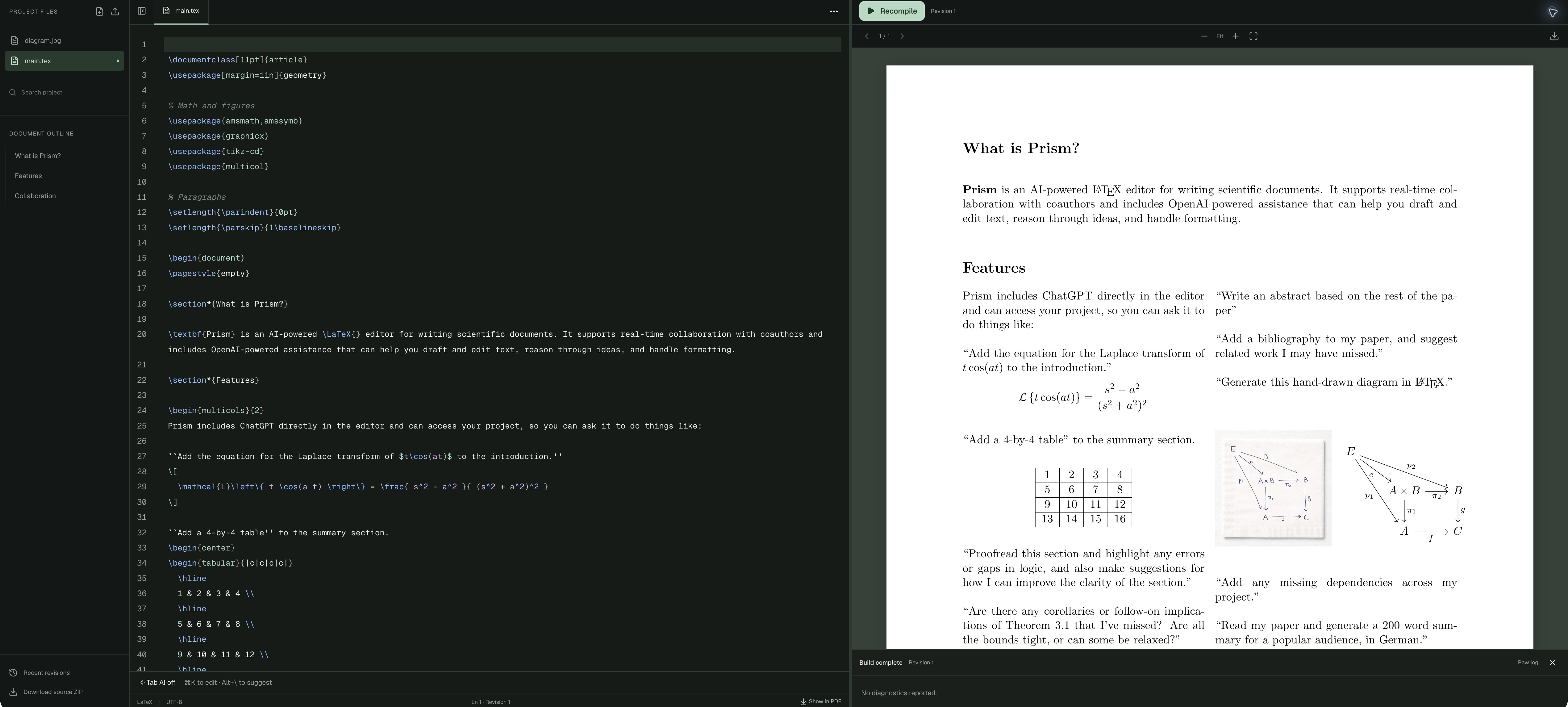
Free builds get 30 seconds. For drew.tech subscribers, each build gets 120 seconds. There are also daily CPU limits. A slow thesis may need a different plan or workflow even when its source imports successfully.
5. Compare the compiled document
Open your saved Prism PDF beside the new PDF. Check title and authors, section order, figures, tables, equations, citation labels, bibliography, fonts, and page breaks. A successful build alone does not prove the paper is unchanged.
Once you are satisfied, make one small edit, review the result, and export the source ZIP and PDF again. Keep an independent backup. Set up collaborator access separately and agree on who has the writing lease.
Before you call the move finished
- The backup opens and contains the expected files.
- The copied project imports and compiles.
- The output has been compared with the reference PDF.
- A small edit saves and the next build contains it.
- You can download source and PDF and continue without Prism.
What we have verified
Export controls and the shutdown date were checked against OpenAI’s documentation on November 8, 2026. The Codex and Overleaf details in the destination comparison were checked against OpenAI and Overleaf documentation on November 28, 2026. CollabTeX’s import behavior and limits were checked against its current implementation.
A real-account migration, with a small example
On November 8, 2026, we created a fresh example project in a signed-in Prism account, used Export (zip), and imported the actual archive into CollabTeX. We selected main.tex, compiled with pdfLaTeX, and reloaded the project. The build completed with no diagnostics.
- Both exported source files,
main.texanddiagram.jpg, were byte-identical after downloading the source ZIP from CollabTeX. - Both PDFs were one Letter-size page, with matching extracted text and visible layout. The equation, table, JPG image, and TikZ diagram were preserved.
- The PDF files themselves were not byte-identical. Prism and CollabTeX used different pdfTeX versions.
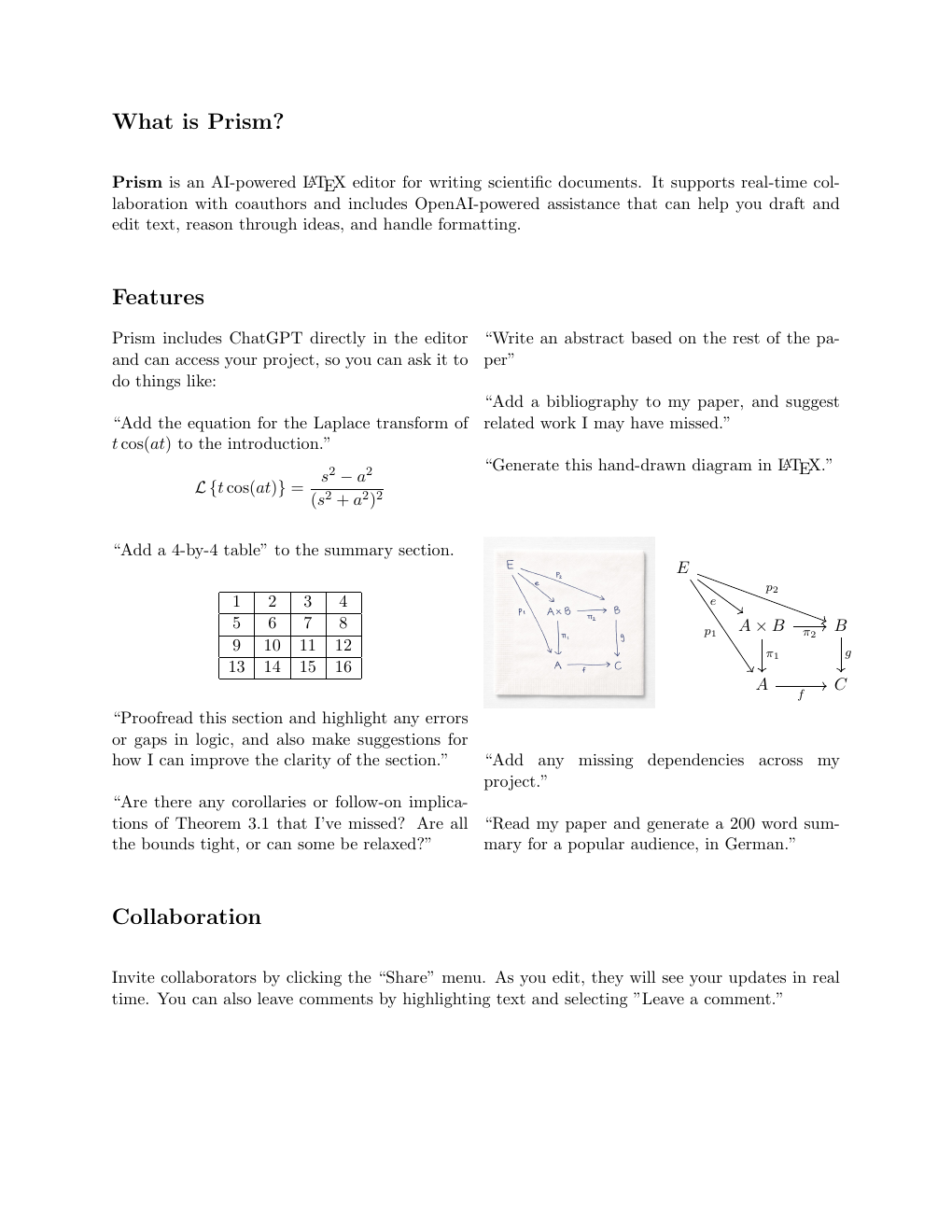
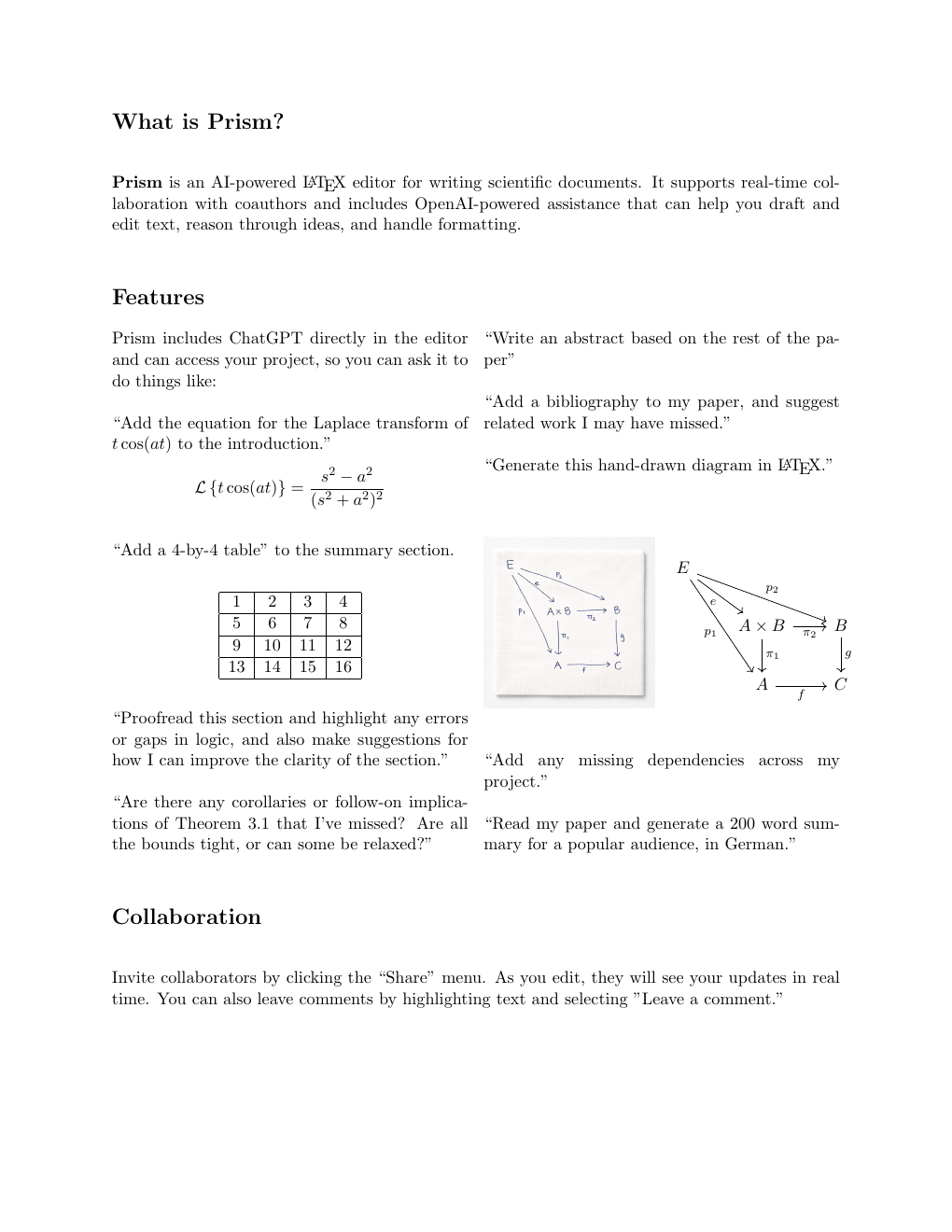
Pages rendered from the PDFs downloaded during the actual test. Open either image for a larger view.
This checks one real export of an example project, not a large research paper. It did not test a bibliography or custom fonts through Prism’s export path. Prism’s export notice excludes comments, version history, collaborators, and linked integrations.
Separate synthetic tests passed with nested Unicode paths, BibTeX, Biber, local class and style files, XeLaTeX, and LuaLaTeX. Those are compiler and importer checks, not additional real-account migrations.
Read the verification record and source-file checksums.
This is not a promise of automatic or lossless migration. Test your own copy and compare the output before changing your working setup.